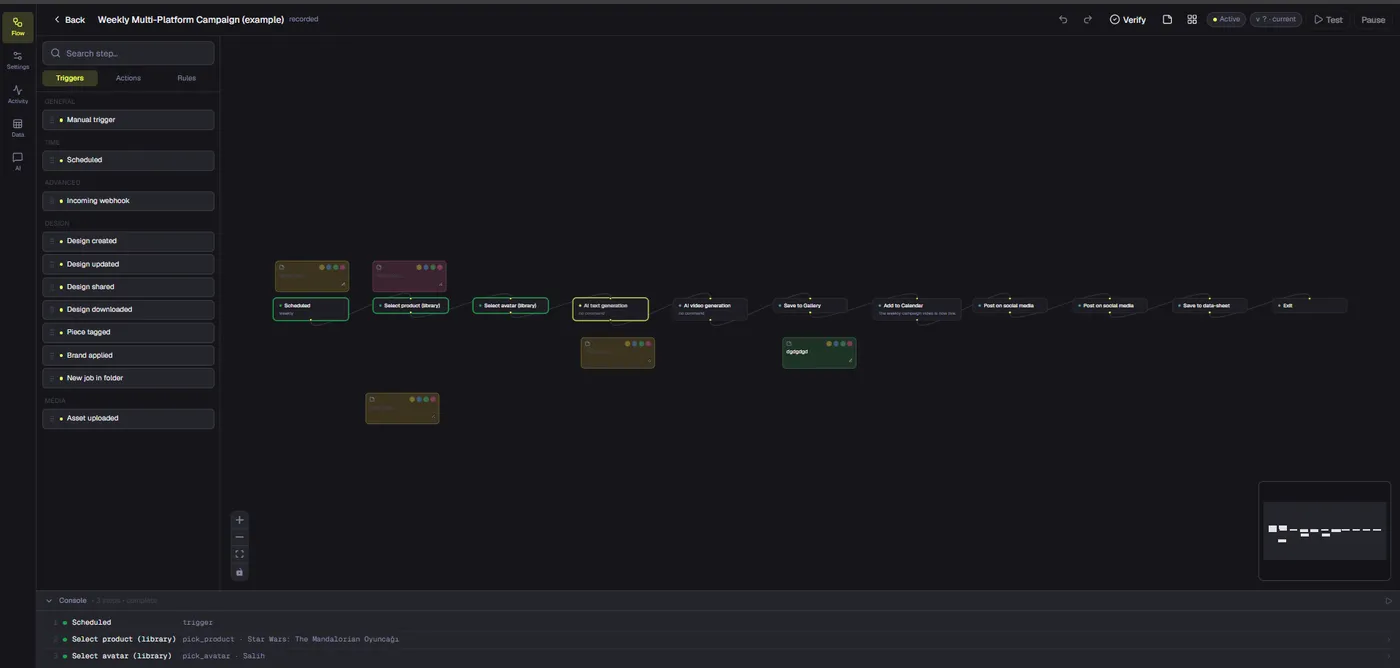
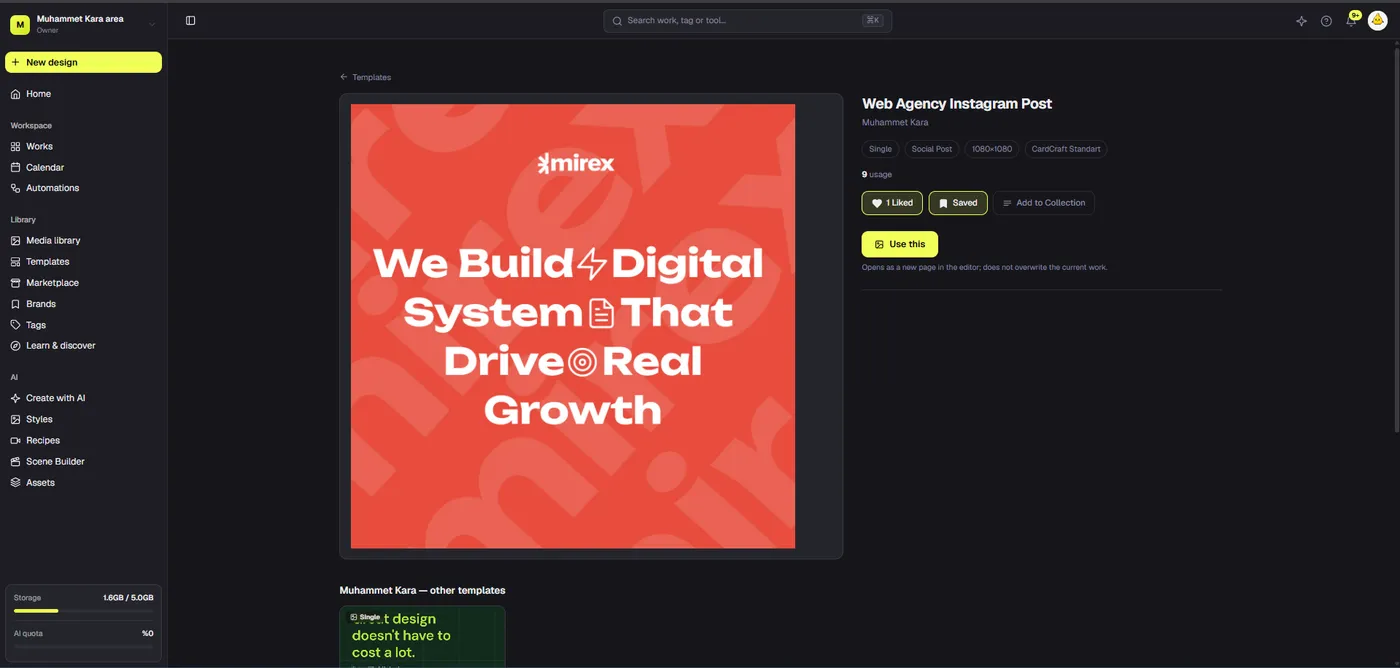
A CapCut alternative for business should be judged on the full brand-video workflow, not an effects checklist. CapCut already has strong online editing and team features. Dika Studio offers a different mixed-project approach that can keep videos beside related campaign graphics. Here is how to compare them fairly and avoid relying on unshipped capabilities.
Why a business looks beyond a short-form editor
A CapCut alternative for business is not necessarily a video editor with more transitions. A brand may need to connect short videos to product imagery, campaign graphics, decks, reusable design elements, and approved source assets. CapCut already provides substantial video editing capability. The evaluation question is whether the team’s bottleneck is the edit itself or the broader creative system around it.
Start by listing deliverables for a real launch: a vertical teaser, a product demonstration, a square announcement, a story graphic, a pitch slide, and revised versions for different offers. Note which sources are reused and how approvals are recorded. If nearly all work is short-form video, a video-first tool may remain the best fit. If editing is only one of several related jobs, a mixed project may reduce context switching. Do not decide from a generic “best video editor” list that ignores campaign operations.
Dika Studio is a browser-based design and video workspace in pre-launch. Its main distinction is the project container that holds multiple kinds of parts. See the Studio surfaces before testing the workflow. We do not claim it duplicates CapCut’s mature effects, distribution, or team features feature for feature.
Recognize CapCut’s actual strengths
CapCut’s official online editor page describes trimming, overlays, AI-assisted subtitles, text-to-speech, effects, music, and background removal. Its creative-suite materials describe cloud spaces, team roles, file management, backup, and sharing videos for review. Its brand-asset guide describes uploading logos, fonts, video, and images to a space in the desktop app. A comparison that says CapCut cannot support teams or brand assets would be false.
Capabilities can differ by app surface, subscription, device, region, and account configuration. Test the same environment your business will use. A team may like CapCut’s familiar short-form template and editing flow, particularly when its work is social-video-first. Another team may find that still graphics and presentations remain fragmented across additional tools. Both observations can be true.
Document the features you actually use weekly, not everything a product advertises. Automatic subtitles may matter more than a long effect list; brand assets may matter more than trending templates. Use a pilot to measure final-output quality, retrieval, and correction effort. That keeps the decision grounded in the work instead of competitive rhetoric.
Map campaign assets before opening a timeline
A business video begins with a claim and evidence. Decide what viewers should understand in the first seconds, what footage proves it, and what action follows. Gather approved product images, screen captures, testimonials with consent, voiceover script, logo variants, and legal qualifiers. Record ownership and usage rights. Footage that looks useful but cannot be licensed or verified is not a dependable campaign source.
Create a shot list and a format matrix. One vertical clip may need a different opening than a landscape website video; simply cropping the same edit can cut off context. Plan safe zones for platform controls and captions. Determine whether the video must be understandable without sound. Write the caption alongside the script so the asset and surrounding text make one honest message.
Use a brief with a single primary goal. A product demo should show the product; a testimonial should distinguish customer experience from general results; an offer video should state conditions clearly. This preparation saves more time than adding effects to an uncertain narrative. The product demo video guide explores how to make that proof visible.
Use Dika Studio’s video part for timed assembly
Dika Studio’s video editor is a distinct part in a mixed project. Its interface includes a preview, multi-track timeline, media browser, and audio mixer. Build the sequence from the brief, then trim clips to remove hesitation and repetition. Add text overlays only where they clarify a point; on-screen paragraphs often disappear before viewers can read them. Balance narration and music. Test the edit muted as well as with sound.
A browser editing workflow must also be tested for export support. WebCodecs and the available encoder affect whether a browser can render a video. Run one complete export early, especially when a campaign deadline is fixed. Inspect the actual rendered file for duration, audio, captions, and edge cropping. A smooth preview is not proof of a usable deliverable.
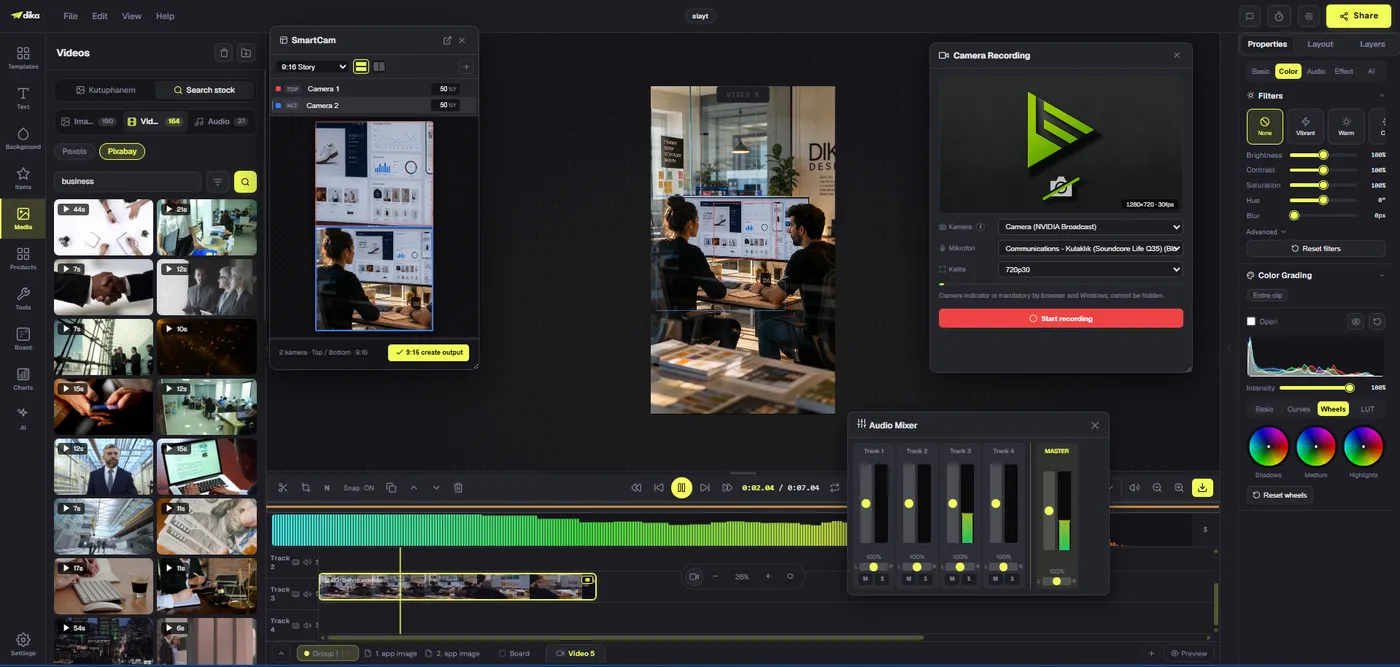
For a fuller workflow, see browser-based video editing for teams. Evaluate it against your real footage and required exports rather than a sample clip.
Keep graphics and video related but independently editable
Dika Studio projects can also hold fixed pages, infinite scenes, slides, and boards. A designer can keep the static launch card and story frames beside the teaser video without pretending they are one file. That helps when a product image or offer changes across formats. It does not automatically propagate every edit to all parts. Name each part by campaign, format, purpose, and version, and keep a record of the approved export.
An infinite scene can show multiple artboard frames side by side for visual comparison. A fixed page works for a single deliverable. A slide deck can support an internal pitch. Export remains specific to the selected part or frame; there is no universal project-level MP4 or image that contains everything. That boundary matters during delivery.
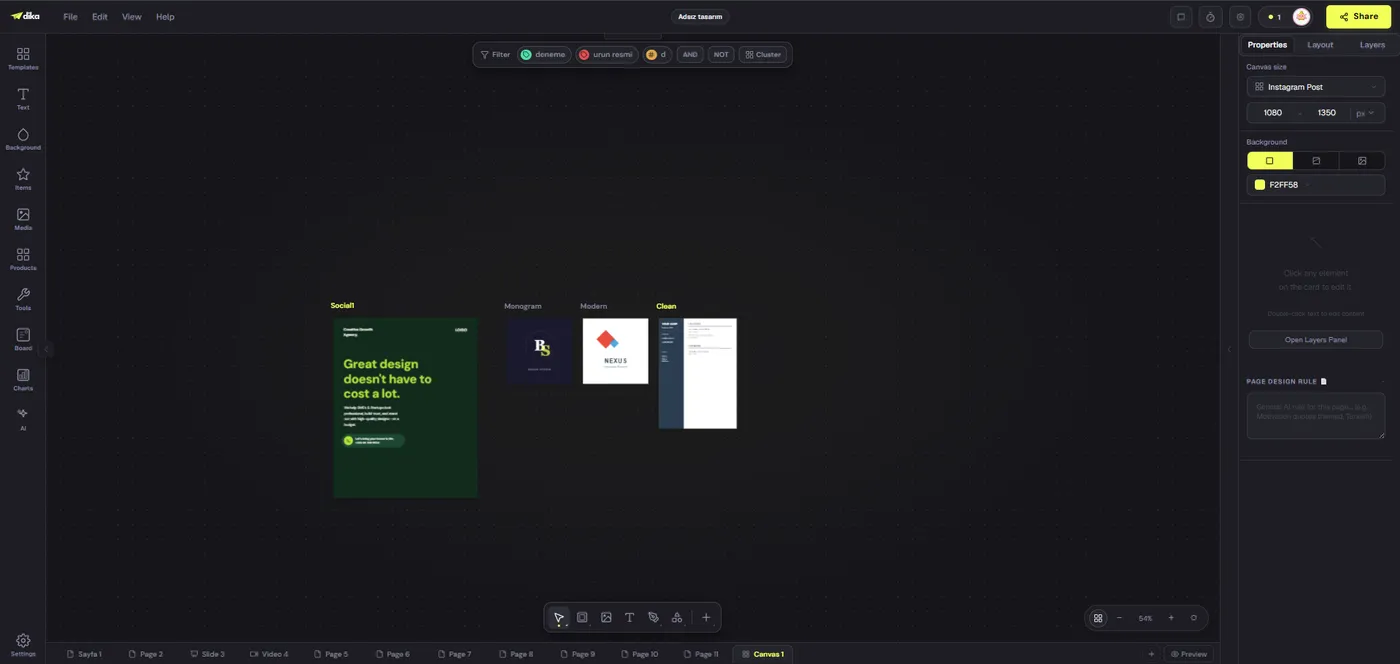
The distinction from a video-first workflow is organizational, not a claim that CapCut cannot create graphics. Test whether this relationship reduces asset hunting and revisions for your team.
Evaluate subtitles, sound, and accessibility carefully
CapCut officially promotes automatic subtitles and text-to-speech. Dika Studio’s video surfaces include audio and subtitle workflows, but do not assume identical automation, language quality, or export options. Test a clip with real accents, product names, and background noise. Compare the transcript to the spoken words and correct errors. Subtitles are a quality and accessibility requirement, not a checkbox to tick because a button exists.
Watch the opening with sound off. Can a viewer understand the central claim from visuals and captions? Watch again with headphones: does music cover the product explanation, are cuts abrupt, and is the ending clear? Check text safe areas in a phone preview. Automatic captions that collide with a platform’s controls or render unreadably are not finished captions.
For a business, brand sound also matters. An approved sonic logo, narrator tone, and music license should be documented. Do not treat a template’s available music as automatically cleared for every commercial use; inspect the applicable terms for the specific asset and destination. Final approval should cover both factual accuracy and rights.
Define a review and version process outside the edit
An editor can contain comments or sharing options and still fail a team’s approval process if nobody owns the decision. CapCut documents sharing videos for review in its creative suite. Dika Studio’s real-time multi-user project commenting and team management remain roadmap work. That is a real current difference. Teams needing a mature in-product collaborative review process should not assume Studio already matches it.
Use a simple review record: project, version, reviewer, claim source, requested change, decision, and export name. Keep feedback specific to the brief. “Make it more exciting” is vague; “show product outcome by second three” is actionable. Approve the first representative video before producing every variant. Later edits should create a traceable new version, not silently replace a file already sent to publishing.
File retrieval becomes part of brand safety. If a correction is needed after publication, can the team find the editable timeline and the exact export that went live? Creative asset management is as relevant to video as it is to static design.
Compare output, not tool novelty
Set an acceptance checklist for the pilot. The opening communicates a useful claim. Footage and on-screen text are accurate. Captions match speech. Music and narration are balanced. Branding remains legible. The final file has the required dimensions, codec, duration, and file size. It plays correctly on the destination platform. These checks matter more than how quickly a template produced a preview.
Run the same real brief through CapCut and Dika Studio, with the same source footage. Track the time to a usable first cut, number of revisions, time spent finding graphics, export failures, and reviewer effort. If CapCut wins on video editing while Studio wins on organizing static and motion assets, note that instead of forcing one overall score. A hybrid workflow can be rational if handoff costs remain manageable.
Do not compare a fully configured paid CapCut account with an unconfigured Studio beta and call the result universal. Record plan, browser, device, account permissions, and tested features. This makes the evaluation reproducible when someone else in the business asks why a tool was chosen.
Do not confuse production with publishing
A finished video is not a published campaign. It still needs an approved caption, destination account, timing, link, thumbnail, and response plan. CapCut may offer direct sharing on particular surfaces, but verify the current channel support and permissions. Dika Studio’s calendar-based social scheduling and publishing are planned; its activity calendar is not a queue of future posts. Use a verified scheduler or channel-native process when using Studio today.
Maintain a production-to-publication handoff table. Record the exported filename, version, approved caption, channel, scheduled time, and person responsible. Test a private or low-risk post before relying on a new route. Open the published item and check the platform’s crop, caption, audio, and link. A smooth editor export does not ensure a good feed preview.
When making variants for several platforms, keep the core message consistent but adjust opening, duration, framing, and call to action. The same clip pasted everywhere may be easy to schedule and difficult to watch. The video repurposing guide provides a more disciplined adaptation framework.
Include migration and training costs
Moving from CapCut or any editor requires more than transferring a logo. Inventory recurring templates, approved footage, audio licenses, captions, and finished videos. Identify which assets can be imported as editable elements and which arrive only as flattened results. Keep originals and exports before testing a new workflow. Teach users how Studio separates project parts and where each export lives.
Start with one campaign and a small contributor group. Time the whole process, including training, review, and correction. Preserve the current publication pipeline until the replacement has passed a real end-to-end test. If the Studio pilot cannot reproduce a critical caption or output requirement yet, keep that step in CapCut or another specialist tool. There is no benefit in losing quality for a cleaner app inventory.
Account for subscription and usage changes at purchase time. Pricing, plan limits, and commercial asset terms evolve. A static article should teach what to compare, not invent a price advantage. If deployment control matters, inspect Dika Studio’s current licensing terms precisely; source availability is not automatically OSI open source.
Choose the right role for each editor
CapCut is a sensible choice when the team’s dominant work is short-form video and its current editing, captioning, collaboration, and template workflow serves that work well. Dika Studio is worth evaluating when video is one part of a wider brand-production system that also needs editable pages, scenes, slides, and boards under a mixed project. The latter is a different organizing principle, not proof of superior rendering or automated publishing.
Write non-negotiable conditions: required formats, browsers, audio quality, review controls, brand assets, source retrieval, and distribution. Test each condition with an actual asset. Mark planned features as unmet today. Then pilot a complete campaign rather than buying based on an attractive comparison table.
Dika’s creative workflow aims to keep connected campaign work coherent. We are explicit about current limits because a business needs reliable delivery more than a perfect-sounding tool story. The best CapCut alternative is whichever production path makes the approved video and its related assets easier to create, find, correct, and ship.
Business video comparison checklist
| Job | CapCut evidence | Dika Studio evidence |
|---|---|---|
| Short-form editing | Online editor, effects, subtitles | Browser video timeline, mixer, preview |
| Brand assets | Brand asset guidance and spaces | Workspace brand kits and media |
| Team review | Cloud sharing and review documented | Real-time team review planned |
| Related graphics | Test creative-suite workflow | Pages and scenes in mixed project |
| Publishing | Check current channel support | Calendar-based posting planned |
CapCut facts checked against its online editor, creative suite, and brand assets guide in September 2026. Check current account terms before purchase.
Frequently asked questions
Is CapCut a good business video editor?
It can be. CapCut officially documents online editing, subtitles, effects, brand assets, cloud spaces, and review features. Test the exact plan and surface your team uses.
What makes Dika Studio different?
Its mixed-part project can hold video timelines alongside fixed pages, infinite scenes, slides, and boards for related campaign work.
Does Dika Studio offer CapCut’s full feature set?
No parity should be assumed. Compare each required effect, caption workflow, output format, and collaboration step in a real pilot.
Can I edit video in a browser with Dika Studio?
Yes, its video part has a browser-based preview, tracks, media panel, and audio mixer. Test export support in your browser.
Does CapCut support team collaboration?
CapCut’s creative-suite pages describe team spaces, roles, cloud assets, and sharing videos for review. Availability may vary by plan and surface.
Does Dika Studio have live team comments today?
Real-time multi-user commenting and team management remain planned. Use an established review process for current campaigns.
Can Dika Studio schedule social posts?
Calendar-based scheduled publishing is planned. Its current activity calendar is not a queue of future social posts.
How should I test video export?
Render a real clip and inspect duration, codec, dimensions, caption timing, audio, and playback on the destination platform.
What should a migration pilot include?
One real brief, approved footage, graphic variant, short video, review round, export, and later retrieval of editable sources.
Should I replace CapCut for every video?
Not necessarily. Keep a specialist workflow for jobs where it produces better results, and test whether Studio improves the broader campaign process.