
Start a project

Technical support & website maintenance Keep your website and servers secure, current and fast.

From software updates to server management, from performance to security, our team keeps your digital infrastructure stable. We monitor, update, back up and fix, so problems are handled before they reach your customers.

Enterprise delivery · Senior specialists · UK & Türkiye
Technical support & website maintenance by Dika Design
01 · Overview

Technical support that works before you call

Technical support covers the professional services that keep your website, servers and digital assets stable, efficient and secure. We combine proactive monitoring with fast response, so most issues are found and fixed before they affect your operations.

02 · When teams call us

Signs it is time to change the system.

The site went down and nobody noticed

Customers found the outage before your team did.

Updates are months behind

Old software leaves known security holes open.

Backups you have never tested

Copies may exist, but restoring them is uncertain.

Pages load slowly

Visitors leave before the page appears, especially on mobile.

Small changes take weeks

Content updates wait because there is no one to make them.

Email lands in spam

Domain records are missing, and important messages go unseen.

03 · Our approach

Support that fits your infrastructure

  1. Customised supportSupport plans shaped around your business, location and infrastructure size.
  2. Proactive monitoringContinuous monitoring finds and resolves issues before they affect your operations.
  3. Rapid response and resolutionFast troubleshooting and repair keep your website and digital assets running.
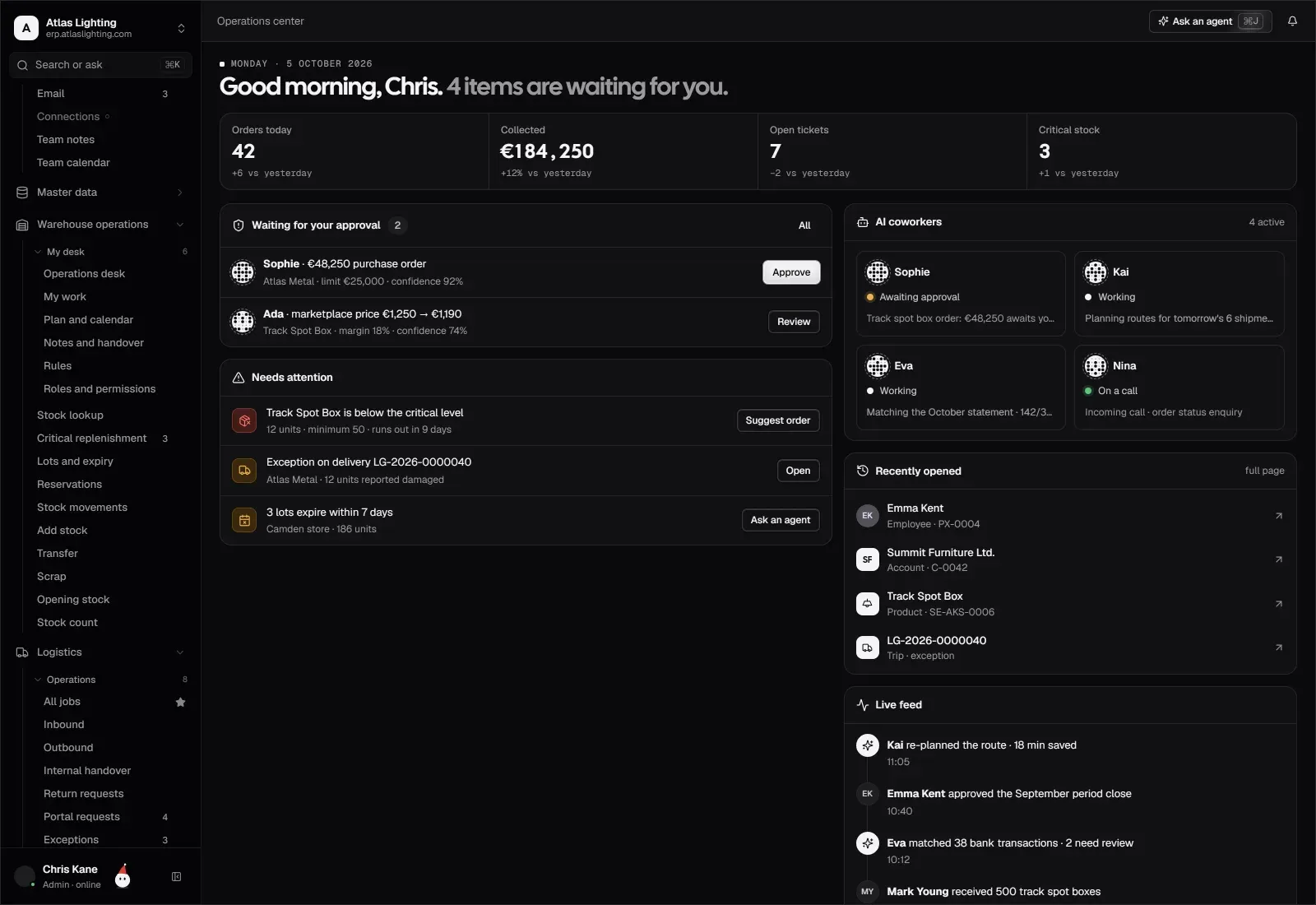
An operations centre showing items waiting for attention
What needs attention, in one place · Dika Ops
04 · Capabilities

Sixteen capabilities. One accountable team.

Everything we design, build and run in Technical support, delivered by the same senior team.

  • 01

    Page updates

    Text, image and layout changes made for you.

  • 02

    Adding new pages

    New pages built in your existing design.

  • 03

    Adding new products

    Products and services added with details and images.

  • 04

    Website migration

    Moves between hosts or platforms without downtime surprises.

  • 05

    Daily backups

    Automatic backups stored securely and ready to restore.

  • 06

    Email configuration

    Domain email, sending records and delivery set up correctly.

  • 07

    Plugin installation

    New features added with trusted, compatible extensions.

  • 08

    New theme setup

    Theme changes configured and tested before going live.

  • 09

    Multilingual support

    Language versions set up and kept in sync.

  • 10

    Server maintenance

    Operating system, services and resources kept healthy.

  • 11

    Troubleshooting

    Errors and outages diagnosed and fixed quickly.

  • 12

    Continuous optimisation

    Ongoing tuning of speed, database and caching.

  • 13

    Active monitoring

    Uptime, errors and security watched around the clock.

  • 14

    Theme updates

    Theme versions updated after compatibility checks.

  • 15

    Plugin updates

    Extensions updated safely, with a backup taken first.

  • 16

    CDN and DNS management

    Caching, firewall and DNS configured for speed and protection.

05 · How an engagement runs

Five steps, visible at every stage.

  1. 01Technical reviewHosting, software versions, security, backups and speed checked.
  2. 02StabiliseUrgent fixes, updates and a first verified backup.
  3. 03MonitorUptime, error and security monitoring switched on.
  4. 04MaintainScheduled updates, backups and requested content changes.
  5. 05Report and improveRegular summaries of work done and recommendations.
06 · What you receive

Deliverables you keep, not just a launch.

Every engagement ends with assets your organisation owns and can run without us.

Plan the first phase
  • Technical health report

    The current state of hosting, software, security and speed.

  • Monitoring and alerts

    Uptime and error alerts routed to our support team.

  • Backup schedule

    Daily backups with a tested restore path.

  • Update log

    Every update and change recorded with its date.

  • Support channel

    A dedicated email address or account for support requests.

  • Regular reports

    Summaries of work done, issues found and next steps.

07 · Who it is for

Built for organisations like yours.

Companies without an IT team

Businesses that need reliable support without hiring.

Online stores

Shops where every minute of downtime costs sales.

Agencies and freelancers

Teams that need a partner to maintain client sites.

Multi-site organisations

Businesses running several websites or languages.

Why maintenance matters

Websites depend on software that changes constantly. Without updates, security holes stay open, features break and performance declines. Regular maintenance keeps the site safe, fast and working as expected.

Proactive monitoring versus waiting for problems

Monitoring watches uptime, errors and security signals continuously. When something goes wrong, we know before your customers do and can start fixing it straight away instead of waiting for a complaint.

Backups you can rely on

A backup is only useful if it can be restored. We take automatic daily backups, keep them in a separate secure location and check that restores work, so a failed update or attack does not mean lost data.

How support requests work

You send requests to a dedicated email address or through your account. Requested updates are usually handled within one to three business days. For sites under proactive monitoring, troubleshooting starts within two hours of an issue being detected.


FAQ

Technical support, answered.

Clear answers before discovery, scoping and delivery begin.

Ask a different question
How do you customise technical support?

We analyse the infrastructure and needs of each business and shape a website and server maintenance plan around them.

How quickly are problems solved?

Requested updates are usually handled within one to three business days. For sites under proactive monitoring, troubleshooting starts within two hours of an issue being detected.

Which content updates do you make?

Depending on your plan, we add pages, products and services, change images and edit text on your behalf.

How does backup work?

We take automatic daily backups and store them securely, so your site can be restored after data loss or a failed change.

Do you monitor security?

Yes. We monitor for suspicious activity, apply updates and respond to threats as soon as they are detected.

How often are plugins and themes updated?

We check for updates regularly, test compatibility and apply them safely, with a backup taken first.

Do we need to do anything during support?

No. We handle the technical work and contact you only when a change needs your approval.

Do you support websites you did not build?

Yes. We start with a technical review of the site and hosting, fix urgent issues, then take over regular maintenance.

Can you support our server as well as the website?

Yes. Server maintenance, resource monitoring, security updates and configuration are part of our support plans.

Is there a minimum contract period?

Support is arranged as a plan that fits your needs. Contact us and we will recommend the right scope for your site.

Start getting support for your website now.

Even a short outage or security breach can hurt user experience, reputation and revenue. With monitoring and proactive work, your website stays fast, current and secure.

  • Monitoring and rapid response
  • Regular backups and updates
  • Performance tuned for your visitors