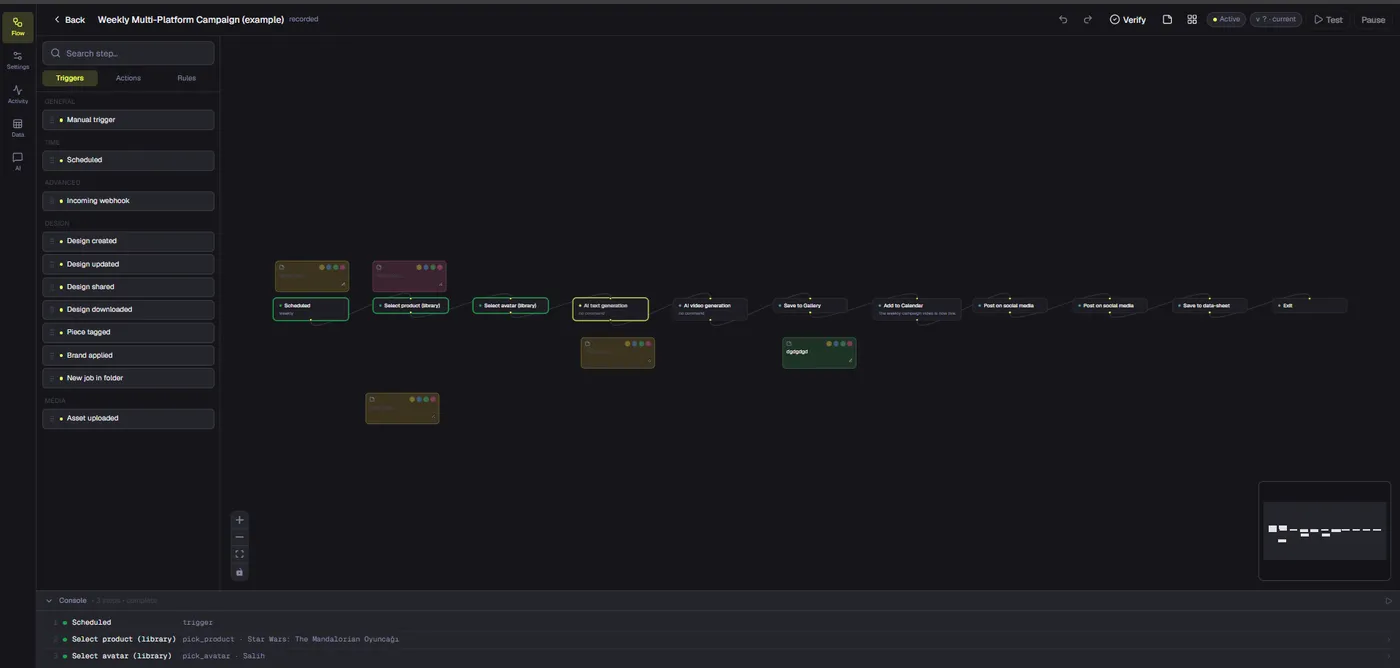
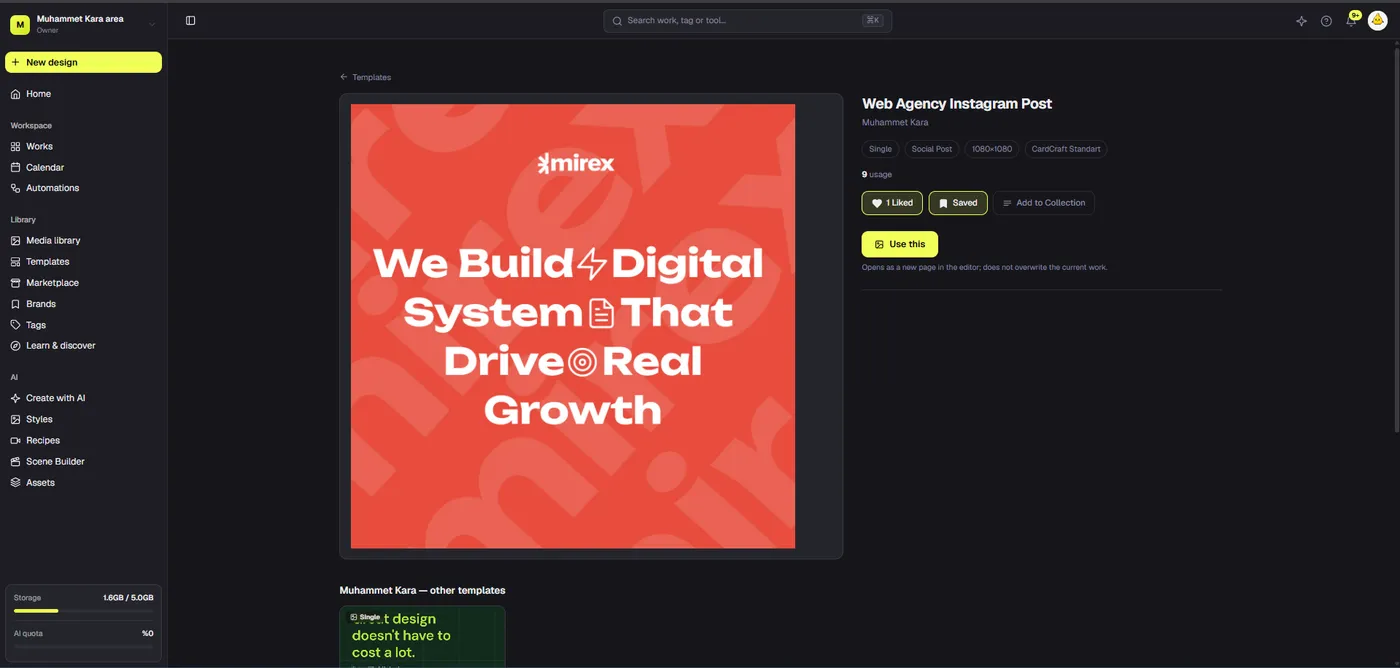
A design and video editor in one workspace helps teams produce connected campaign assets without pretending static graphics and timed clips are the same file. Dika Studio keeps pages, scenes, slides, boards, and video parts in a mixed project. Here is how to plan, edit, review, and export that work without overstating what the product does today.
What an online design and video editor should actually solve
A design and video editor in one workspace is useful when a campaign requires both still graphics and moving stories built from the same message. The benefit is not that every screen uses identical tools. A graphic needs precise typography, shapes, image composition, and export sizes. A video needs clips, timing, audio, subtitles, and motion. The real gain is keeping related work discoverable under one project while letting each format retain an appropriate editing surface.
Consider a product announcement. The team may need a feed card, a story variant, a six-frame explanation, a ten-second teaser, and a deck for sales. Splitting these across unrelated files makes references and approvals harder. Yet forcing them into one flat file is equally awkward. A mixed project is a middle path: related assets share context, but each page, scene, slide, or timeline has its own editing model.
This article explains how to evaluate that workflow and use Dika Studio without confusing co-location with automatic synchronization. A logo change in one graphic does not guarantee every video overlay updates. Teams still need a brief, source library, export checklist, and review owner.
Plan the campaign before you open the canvas
Start with an asset map: message, audience, channel, format, owner, due date, and proof source. Define one central claim and a small number of variants. Decide which parts should look identical, such as logo placement and colors, and which should change, such as opening frame, crop, or call to action. If the message is unclear, a combined editor simply helps the team produce inconsistent assets faster.
Collect approved product images, footage, copy, customer quotes, and brand rules. Mark rights and expiration dates for media. A shared media library is only valuable if people know which file is approved and which was used for an earlier version. Rename confusing assets and remove ambiguity before production. Make a lightweight shot list for video and a content outline for static graphics. This avoids discovering during editing that the camera angle, product view, or proof point needed for the story is missing.
For a compact team, assign approval checkpoints at the brief and first representative asset. Reviewing the fifth variant after all ten are built is expensive. The campaign brief-to-asset workflow is a useful companion when multiple contributors are involved, even if formal real-time team collaboration remains planned rather than shipped.
Keep fixed pages and video timelines in one project
A Dika Studio project can contain classic fixed-size pages, infinite scenes, slide decks, video timelines, and boards as separate parts. Use a page for a single static post; use a scene for several artboard frames visible together; use a video part for timed clips. Page tabs let you move among those surfaces without treating a video as a PNG or a social card as a video frame. Group and name related parts for an understandable campaign map.
A sensible naming convention is campaign, format, purpose, and version. For example, “Spring launch / portrait / product proof / v2” tells someone more than “final graphic.” Keep rough explorations separate from approved exports. A project can be an organized production container, but it is not a rendered all-in-one file. Export targets the chosen part or frame; a project archive is for backup and reopening, not posting directly to a channel.
Use the workspace for finding projects, media, tags, and brand kits; use the editor when changing the visual itself. That distinction prevents the common problem of looking for visual editing controls in a library view. The workflow becomes faster when everyone understands where to make an edit and where to find the resulting asset.
Build the static design as an editable source
For a social graphic, decide the visual hierarchy before adding decoration. A reader should recognize the subject, main message, and next action within a brief glance. Put the most important words in a position that survives mobile cropping. Use contrast and font sizes that still work when the export is displayed as a small preview. Keep legal details readable but secondary. A polished desktop canvas can still fail in a mobile feed if everything is compressed into tiny type.
Classic pages hold their own dimensions, background, and objects. Duplicate a page to branch a variant, then rename it immediately. The copy is independent, which is useful for testing but means later edits do not automatically reach every derivative. Infinite scenes add another option: different frame sizes can sit side by side so the team can compare a square feed post, portrait card, and story treatment. Each must be checked individually rather than resized blindly.
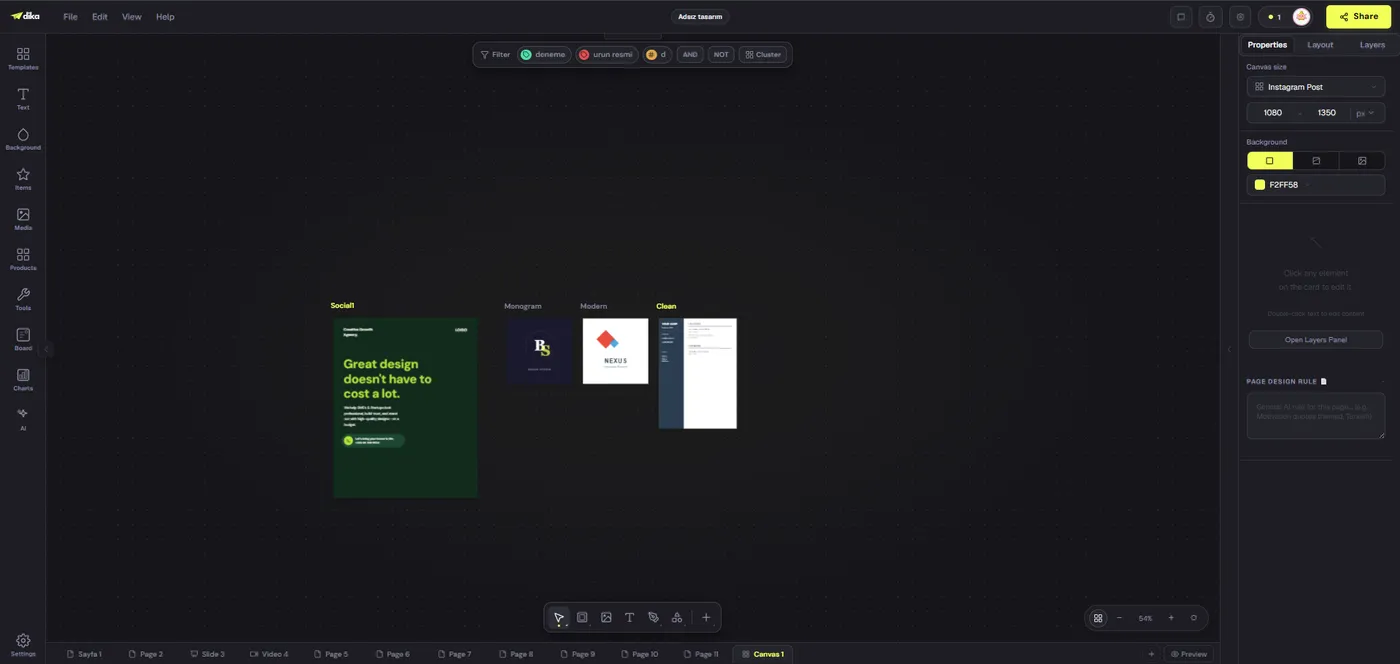
If the campaign requires many formats, infinite canvas planning can help reveal inconsistencies before the files leave the editor.
Move from visual concept to timed video
Video production starts with a sequence, not simply an animated copy of the graphic. Write a short beat sheet: what the viewer sees in the opening seconds, what changes, what proves the claim, and how the ending resolves. A product demo might show the outcome first, then the important interaction. A brand clip might begin with the problem and move to evidence. Either way, identify the one action a viewer should remember.
In the video part, assemble footage and still assets on a multi-track timeline. Trim for pacing, place text overlays at moments viewers can read them, balance audio, and check transitions for clarity rather than novelty. Dika Studio’s browser video editor exposes a preview, media browser, tracks, and mixer. It is the right surface for timing and audio, not a substitute for the fixed-size page editor. Some browser capabilities such as WebCodecs affect export; unsupported environments should be tested before a deadline.
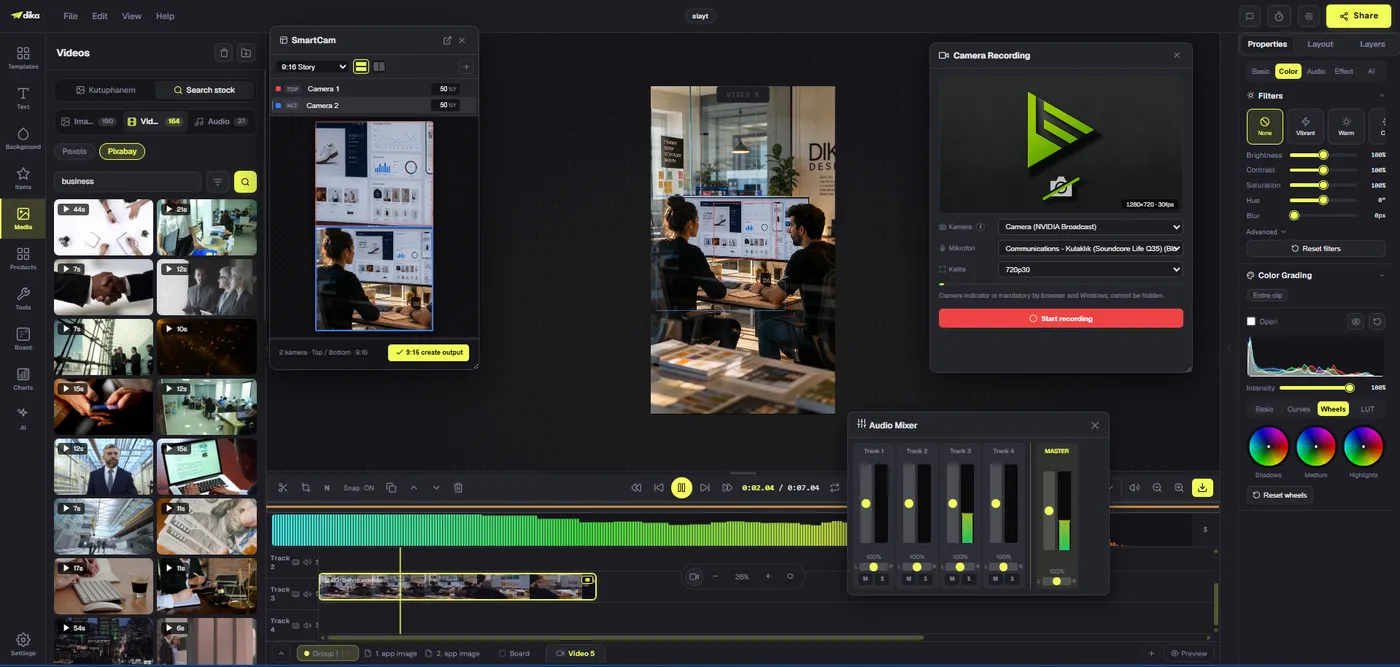
For more on editing structure, see our browser-based video editor guide.
Treat audio, subtitles, and accessibility as design decisions
A short marketing video should work when muted, because the viewing environment is outside the editor’s control. Captions should represent the spoken content accurately and stay inside a readable safe area. If the central claim appears only in voiceover, add a concise visual counterpart. If music competes with narration, lower it or remove it. Sound effects should explain a transition or action, not fill every silence.
Check the first seconds at actual phone size. The opening must make sense before a viewer has context. Keep on-screen text short enough to read at normal playback speed; a paragraph that fits in the layout may still be unreadable if it appears for two seconds. Avoid motion that draws attention away from a product detail or trigger. Watch the export at normal speed, with and without sound, before approval.
For static graphics, accessibility means legible contrast, meaningful text alternatives where a platform supports them, and not encoding essential data only through color. A shared campaign visual system should carry these rules into both still and motion assets. This is another reason to prepare a brand kit and a review checklist instead of relying on individual taste.
Choose the right source of truth for every asset
One workspace helps organization, but it does not remove versioning decisions. Decide which page or video part is the editable master for each deliverable. Label rejected options clearly. Keep source media intact, and track when an exported file was approved. The exact image that went live may differ from the current editor state after later revisions. If a stakeholder requests a correction, the team should be able to find both the approved export and the source used to make it.
Store a concise record: asset name, format, version, owner, approval date, exported filename, and publication destination. This can be a small table rather than an elaborate system. For complex work, creative asset management is the practice that keeps design and video production from turning into a folder of confusing final versions.
Do not equate a visible collaboration cue with a full review platform. Team management and real-time multi-user project commenting remain roadmap work. Use a known approval channel and capture sign-off there. Studio can hold production assets while existing processes cover formal decisions until those capabilities are available.
Export each part for its destination
Export is where attractive projects meet platform constraints. A static social page can become an image, an individual infinite-scene frame can be downloaded, and a video part has a separate rendered result. There is no single project-level PNG, PDF, or MP4 that sensibly contains every mixed part. Choose the export target deliberately and verify the result on disk before scheduling or sending it.
Make an export matrix before delivery. Note requested format, dimensions, safe zones, maximum file size, and destination. Inspect a square card and a portrait card separately; a successful export of one says nothing about the other’s legibility. For video, open the rendered file and check duration, audio, captions, and visible edges. If the browser lacks the needed encoder, identify that before the publication hour, not after the rest of the campaign is approved.
Be careful with “one workspace” language. It describes production organization, not automatic posting to every social network. Calendar-based scheduled publishing is planned. Use a verified scheduler or channel-native workflow for publication and maintain a consistent asset identifier across the editor and scheduler.
Compare one workspace with disconnected specialist tools
Specialist tools can be excellent when a team needs one very deep capability, especially advanced color finishing or a complex long-form video pipeline. A mixed workspace is strongest when the common problem is repeated cross-format campaign production: graphics, variations, short video, presentation, and reference material must remain related. The evaluation should be based on actual jobs, not a feature count on a pricing page.
Run a pilot with a real brief. Time how long it takes to find approved assets, create a static post, adapt it to a second size, assemble a short video, review both, export, and retrieve sources a week later. Note where the team still uses another tool. Sometimes that is appropriate: a dedicated scheduler for publishing, a transcription service for difficult audio, or a specialist video tool for a complex composite. Integration need not mean replacing every instrument.
Dika’s design and video workflow should earn its place by reducing context loss and improving asset reuse. A team that mostly edits hour-long films may make a different choice from a team producing weekly campaigns with multiple short formats.
Build a repeatable weekly production rhythm
A sustainable rhythm keeps planning, creation, review, and delivery from collapsing into one deadline. At the start of a week, confirm the message and proof for each asset. Build one representative still graphic and one representative video. Review those against the brief. Only then produce the remaining variants. This catches a weak angle before it spreads across a campaign.
Midweek, inspect each format at the size viewers will see. Check the first and last video frames, the audio mix, and any caption timing. Compare static variants side by side for hierarchy and consistency. At delivery, export each target, record its version, and hand it to the publishing owner with the approved caption and destination. Keep a short correction window after posting because platform previews and real-world rendering can reveal details an editor preview missed.
This process is intentionally plain. The online design and video editor supplies production surfaces, while the team’s brief and quality gates make them useful. A single workspace saves time only when people agree on naming, review, and export conventions.
Decide whether the workflow fits your team
Before adopting any online design and video editor, test five questions. Can a designer make a static asset without fighting video controls? Can an editor produce a short clip without flattening every element first? Can another teammate locate the approved source? Does export match the platform’s requirements? Can the team name what still must happen outside the editor? A clear “no” to any of these is a practical issue to resolve, not a feature-list debate.
For Dika Studio, the distinctive organizing principle is the mixed-part project: independent pages, scenes, slides, videos, and boards in one container. The current product is pre-launch, so pilot it against the actual workflow rather than assuming every roadmap feature is available. Set a small campaign as the trial. If the pilot reduces duplicated asset searches and makes revisions clearer while preserving output quality, expand. If not, identify the bottleneck and keep the relevant specialist process.
The objective is not to minimize the number of tabs at all costs. It is to make campaign intent survive the passage from brief to still image, timed video, final export, and publication. That is the standard worth measuring.
Workflow fit at a glance
| Job | Best working surface | Final check |
|---|---|---|
| Single social card | Fixed-size page | Mobile legibility and image export |
| Several size variants | Infinite scene frames | Separate crops and per-frame export |
| Short campaign clip | Video timeline | Timing, audio, captions, rendered file |
| Early concept map | Board | Rebuild approved design on a delivery part |
| Publishing | Verified external scheduler | Account, time, caption, and live preview |
Frequently asked questions
Can one Dika Studio project hold graphics and videos?
Yes. A project can contain pages, infinite scenes, slides, videos, and boards as separate parts.
Is a video part the same as a static page?
No. A video uses timed clips and audio on a timeline; a page is a fixed-size design with its own objects and background.
Can I export an entire mixed project as one image?
No. Export targets a chosen part or frame. A project archive is for backup and reopening, not a single rendered campaign file.
Does one workspace automatically synchronize every variant?
No. Pages and parts are independent, so review each derivative and apply shared changes deliberately.
Can I edit social graphics and short videos in a browser?
Dika Studio provides browser-based design and video editing surfaces. Test browser encoding support before a time-critical video export.
Does Dika Studio schedule social posts today?
Calendar-based scheduled posting is planned, not a current capability to rely on. Use a verified external scheduler or channel-native publishing process.
What should a team test before adopting one workspace?
Pilot a real brief from asset discovery through static design, video assembly, approval, export, and retrieval. Measure practical bottlenecks.
How should the team organize variants?
Name parts by campaign, format, purpose, and version; group related parts and keep approved exports distinct from editable sources.
Are real-time team comments available?
Real-time multi-user commenting and team management are roadmap items. Keep formal review in an established approval channel for now.
What is the most important final video check?
Open the rendered export at normal speed and verify the opening, audio, captions, duration, safe area, and ending rather than trusting only editor preview.