Editable AI designs and flat AI images can look identical after export. Their difference appears when a campaign changes: can you edit a headline, swap a product, move a CTA, or create a vertical version without rebuilding the entire image? This guide compares source structures and shows when each output is appropriate.
Dika Studio can generate image assets and edit them through crop, rotation, or masked region changes. Its canvas also supports independent text, shapes, images, and templates, with AI-assisted object edits through a connected provider. We will keep those capabilities distinct. A generated picture is not automatically a layered design just because it appears on a canvas.
What editable means in practical production
An editable AI design is a source whose meaningful parts remain independently changeable. Headline can be revised without repainting a photograph. Product image can be swapped without recreating a background. A color can be updated without selecting every pixel that resembles it. A reviewer can find the CTA and disclosure as separate objects. This is a stronger definition than “you can open the file in an editor.” Any PNG can be opened, but a flattened PNG does not expose its original object structure.
Editability has levels. A layered canvas may keep text, shapes, images, and groups separate. A layered PSD may preserve separate pixel layers while losing some native vector behavior. A flat image can still be cropped, recolored, or selectively regenerated in a region, but the headline inside it is not a genuine text box. Describe which kind of revision is possible rather than labeling a format simply editable or not.
The decision should follow the job. A one-off photographic background may not need independent text. A month-long campaign with changing prices, markets, and placements usually does. Choose the source format according to likely corrections, not the visual appeal of the first output. A beautiful flat file can be the wrong production asset if every small change requires a new generation.
How a flat AI image is made and used
A flat AI image is a grid of pixels generated from a prompt and perhaps reference images. It can be valuable for product mood, an illustration, a background texture, or a visual concept. Dika Studio’s AI image workflow can generate an image, let you crop or rotate it, make a masked region edit, and save the result to the media library. Those are genuine controls. They do not split every object in the finished picture into editable canvas layers.
Suppose a generated ad visual contains a product bottle, a headline, and a discount badge all painted into one image. A region edit may repair the badge or background, but it may also change adjacent pixels or typography. It is not the same as replacing a text value in a source design. If the discount changes daily, keep the bottle visual as an image layer and make the offer a real text object. That leaves predictable corrections under editorial control.
Flat output is not automatically bad. Many platforms ultimately accept a PNG or JPG. The question is whether the team retains a better source behind that export. Use generated pixels for what they do well, then layer verified product assets and editable copy around them when a campaign needs revisions. Store the generation prompt and rights note, but do not mistake a prompt for a full editable source.
How a layered canvas design behaves
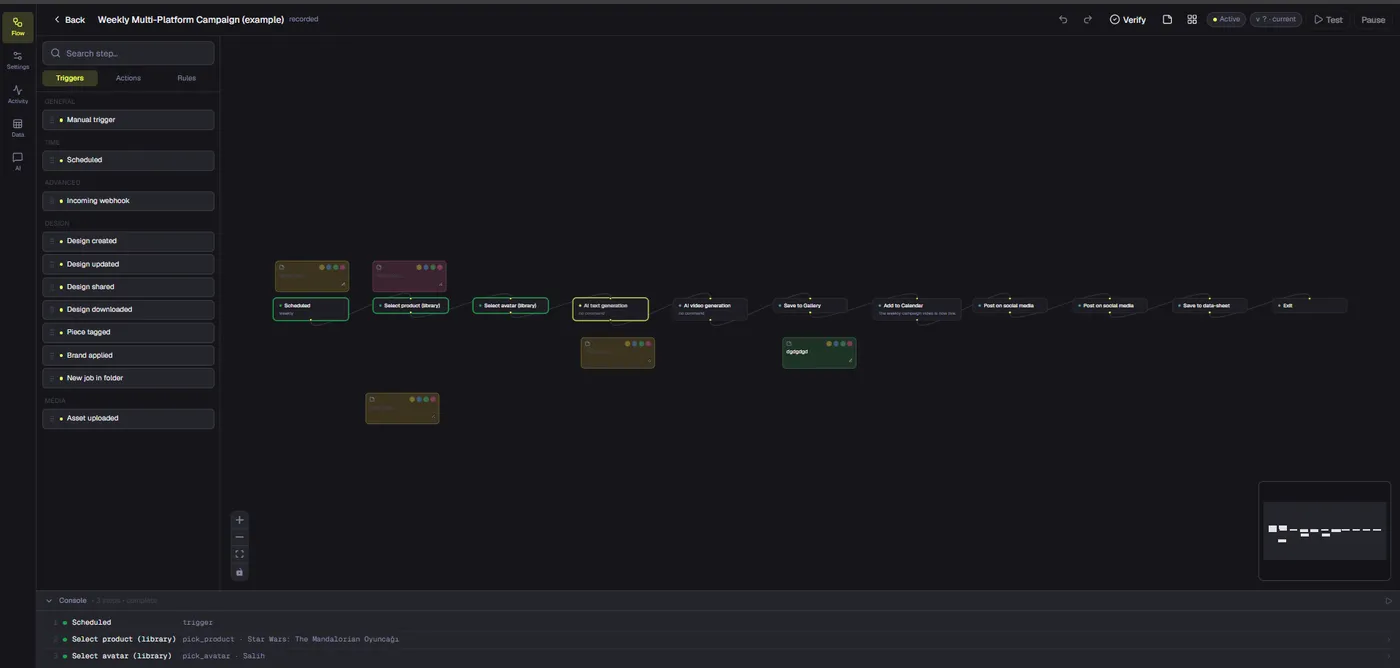
A layered canvas records objects and their properties: text content, font, color, shape, position, image asset, grouping, and order. In Dika Studio, templates placed on the canvas become normal editable objects. The in-editor AI assistant can add or change canvas objects in small undoable batches when a provider is connected. That means an AI-assisted layout can remain a design source rather than only a flattened picture.
Check the actual layer structure after generation or template application. Is the headline a text object? Is the product photo separate from the background? Can the CTA move without disturbing the logo? Does the disclosure remain readable after resizing? A design may look layered but still contain a single image with baked-in copy. Visual similarity to a poster does not prove editability.
Keep the approved canvas project accessible to the responsible editor. A screenshot or export is not enough. If the campaign’s typeface is missing on a teammate’s device, or a linked image is unavailable, the theoretical layers do not guarantee a workable handoff. Test reopening and revising the source before a deadline. A source is useful only when the team can actually operate it.
Compare formats by the change you expect
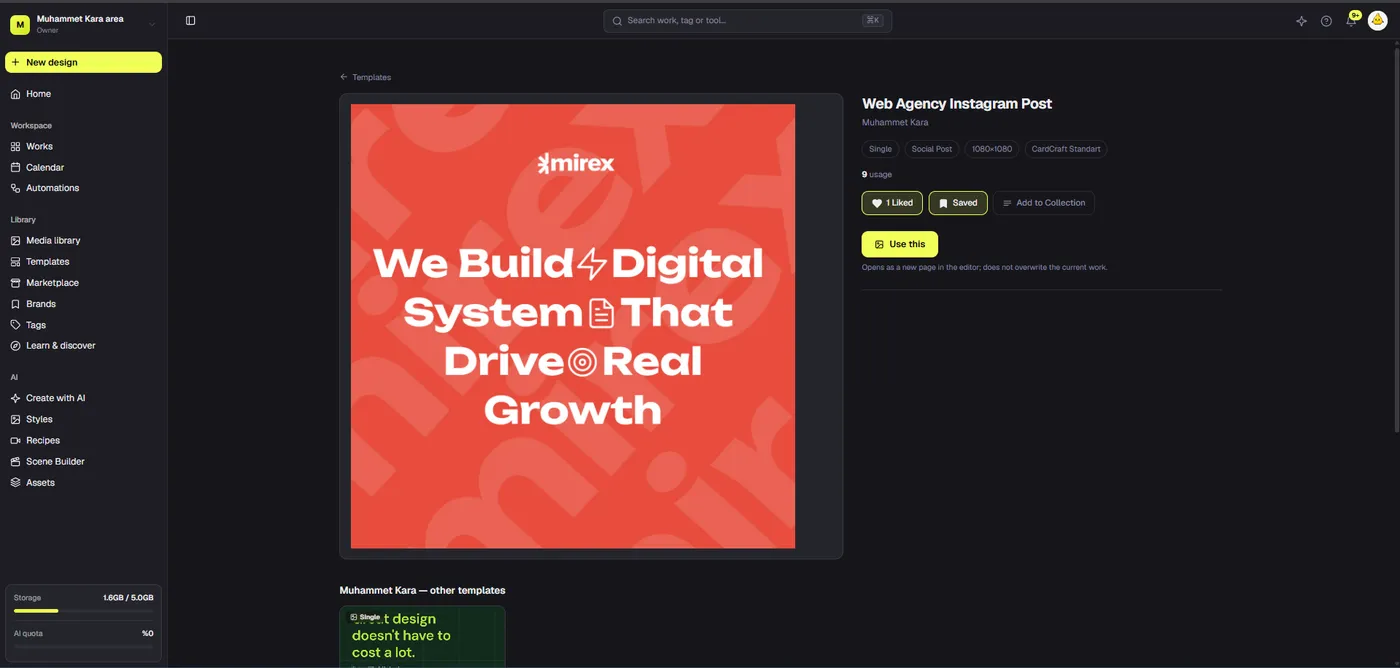
Different file types solve different problems. A flat PNG is easy to publish and share, but hard to rewrite structurally. A layered canvas is a good working source, but still needs final export and platform preview. A template gives repeatable structure but does not verify copy or product truth. A PSD may be useful for a Photoshop handoff, yet Dika Studio’s PSD export keeps separate layers while rendering text and shapes as pixel layers rather than native editable Photoshop text and vector shapes. State that limitation before promising seamless round trips.
Consider a launch ad with a price that changes after legal review. In a layered source, the price can be edited directly and the export regenerated. In a flat image, the correction might need retouching or new generation, followed by a full comparison against the old product, logo, and layout. A single correction may be manageable; dozens of campaign variants make the difference significant.
A good workflow can combine formats. Generate an image for a background, build the message on a layered canvas, and export a flat file for the ad platform. The source remains editable even though the delivered artifact is flat. This distinction prevents teams from rejecting useful AI imagery or overclaiming what a flat file can do.
The five-change stress test
To evaluate an AI design workflow, do not judge only the first draft. Ask for five routine edits: replace the headline, change the product photo, update the price, switch the logo variant, and adapt the canvas to another aspect ratio. Time the work. Count how many changes remain inside the source versus how many require rerunning a model or rebuilding the layout. Include a legal disclosure correction if your category needs one.
Use a real campaign asset rather than a decorative test card. An attractive quote graphic is easy to regenerate; a product ad with approved packaging, exact terms, and two languages reveals the production limits. Have a second editor perform at least one change from the saved source. If only the original creator can understand the file, the workflow is fragile even when it contains layers.
Record the result as a decision table: change, effort, risk, and final quality. A flat tool may win for concept exploration and lose for weekly offer maintenance. A layered tool may take more initial setup but save many later corrections. There is no universal winner; the right choice depends on how often the message or format moves.
| Change | Flat AI image | Layered canvas | Review risk |
|---|---|---|---|
| Headline | Retouch or regenerate | Edit text object | Typographic drift |
| Product photo | Mask or rebuild | Swap image layer | False product detail |
| Price | Paint over or regenerate | Edit offer text | Stale variants |
| Aspect ratio | Crop or expand pixels | Recompose objects | Hidden proof or CTA |
| Brand color | Selective recolor | Change object value | Inconsistent shades |
Keep text and claims out of generated pixels
Marketing copy is unusually likely to change. A product name, date, price, discount, compliance phrase, or CTA may be edited after the image is approved. Put such text in real text objects whenever possible. This also helps localization because another language can expand without asking a model to repaint letters. Generated text inside an image can look convincing at thumbnail size and still contain spelling errors or unreadable detail.
Keep factual claims close to evidence. If the ad says a product is waterproof, a generated scene of rain is not proof. Use approved product photographs or test data. If a software interface appears in the design, use a current screen capture when the specific feature matters. A layered source makes it easier to replace outdated evidence without changing the rest of the composition. A flat image can make that replacement look seamless yet still be inaccurate.
Review rights and consent. An AI-generated image may be usable under provider terms, but referenced photographs, logos, and likenesses can carry separate obligations. Store the source of each layer and its permitted use. A reviewer should be able to tell what is synthetic, what is real product evidence, and what has been licensed for commercial distribution.
Use canvas objects with an honest AI boundary
Dika Studio’s in-editor assistant can change the canvas by adding text, shapes, icons, paths, images, or adjusting selected objects. It works in batches that can be undone. That is useful for creating an editable starting composition. It does not mean every image-generation result is decomposed into native objects. AI image mode makes an image asset; the canvas assistant can place that asset beside objects it creates or edits.
Ask for a composition in stages: background and grid first, then headline and CTA, then product image placement and final polish. After each stage, inspect the layers. A large one-shot prompt may yield a plausible layout but leave important copy in the wrong place or make it hard to revise. Working in visible steps reduces the cost of correcting direction. The assistant can accelerate changes without becoming the source of approval.
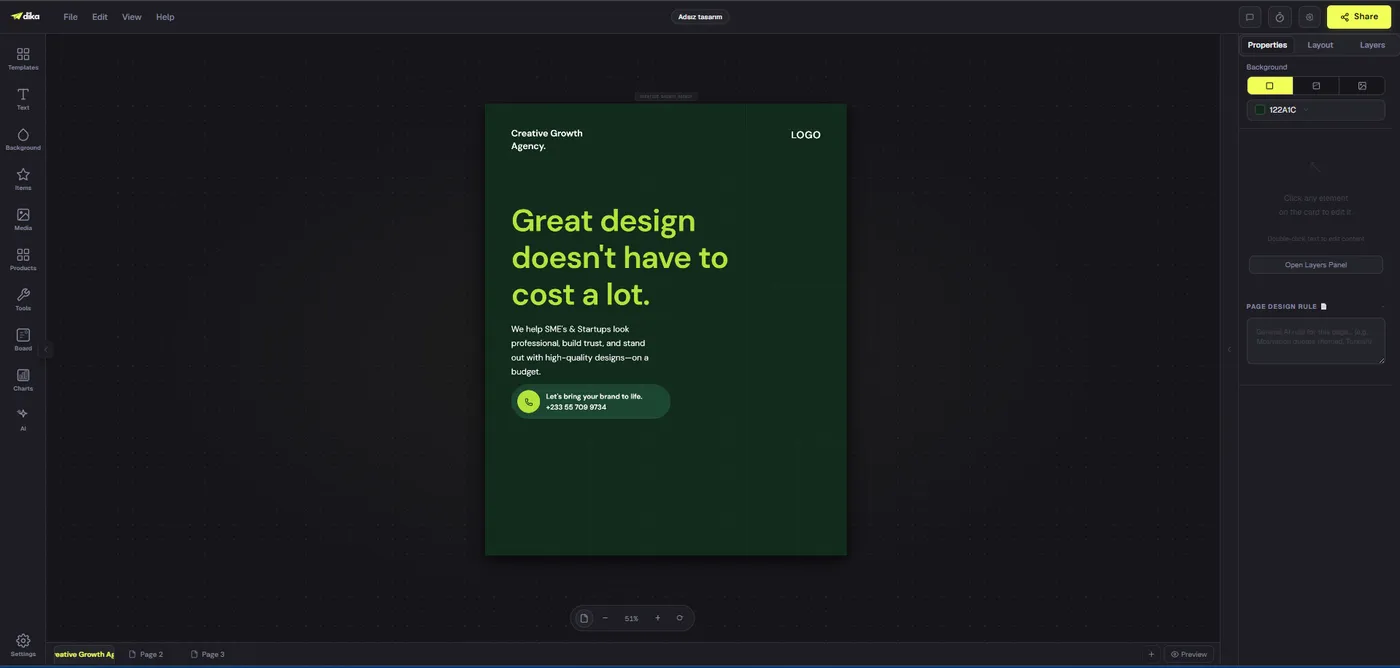
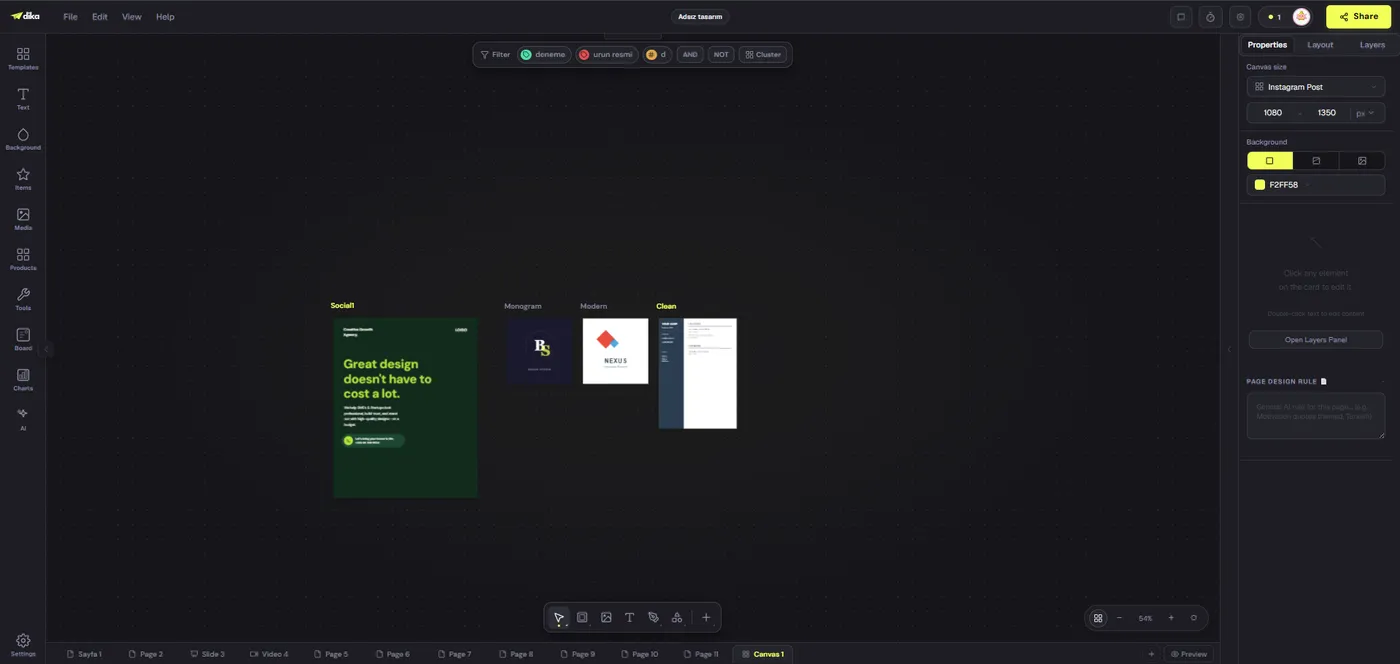
The example Studio editor screen below shows a design on a canvas with text and a properties/layers area. The screenshot demonstrates the workspace, not proof that a particular generated image has separate text inside it. Treat visual illustrations as illustrations and verify object structure in the actual project. That same discipline applies when evaluating any competing AI design tool.
Plan multi-format variants from source
A campaign may need a square feed post, vertical story, email header, and presentation slide. Do not stretch one finished PNG into every ratio. Return to the editable source and recompose each format. The product may need a different crop, the headline a shorter line, and the disclosure a safer position. Record which variants carry which offer and CTA so a later revision reaches all of them.
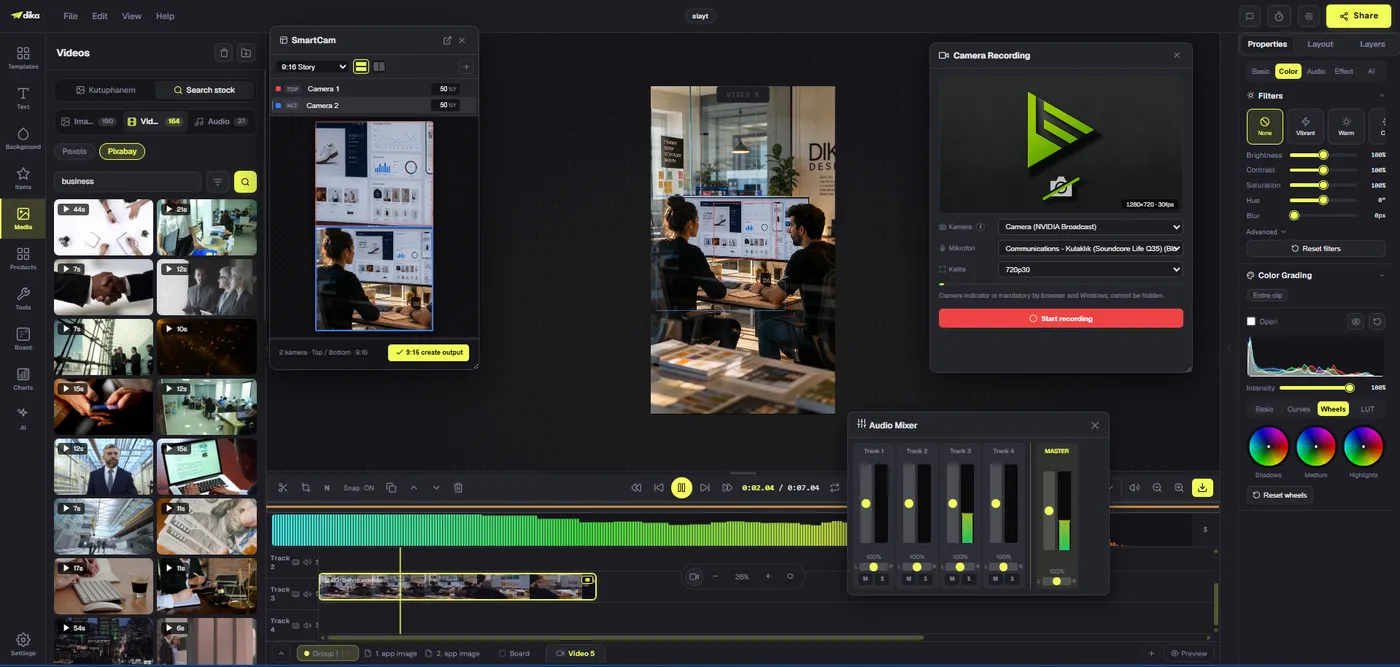
Use a visual planning space to compare related versions. Dika Studio’s infinite canvas can hold multiple design frames in one view. It helps a designer notice drift in color, type, and product scale across a family. It does not automatically approve every export or synchronize every sentence. Review each final file in its destination size. A vertical version can hide a qualifier that is clear in the square master.
Name versions with campaign, placement, language, and revision. Keep the editable project, not only the exported assets. When the product changes, search the variant inventory before publishing a new file. The cost of a missed stale claim is usually greater than the time saved by reusing a flat image without inspection.
Handoff and export are separate quality gates
An exported PNG, JPG, or PDF may be exactly what a platform or print shop needs. It is a delivery artifact. The editor should also retain the source project and any supporting assets. Dika Studio’s PDF export renders each part as a high-resolution image on a page, not an editable, text-searchable document. Its PSD export retains layers as separate pixel-based elements. Those details matter if a downstream agency expects native vectors or editable Photoshop text.
Give the next editor a handoff package: project identifier, current copy, product image approvals, font and logo licences, variant inventory, export settings, and sign-off record. A prompt alone is not enough because models and provider behavior can change. If a generated background must be revised, the prompt can help; if a price changes, the separate text object should be the first place to edit.
Open the delivered file after export. Check dimensions, color, crop, font rendering, and disclosure legibility. Then preview it in the actual channel. A layered source can be excellent while a bad export still fails the audience. Likewise, a flat export can be perfectly suitable when its editable source is preserved for future work.
When a flat image is the better choice
Choose a flat image when the asset is a final photograph, texture, concept illustration, or one-off approved visual that does not need internal copy revisions. It is simpler to distribute and can be easier to archive. Use a masked region edit for a local visual correction when the result remains truthful, then compare the entire changed area. A region edit is a tool, not a guarantee that product details remain exact.
Avoid needless complexity. A simple social background does not require a dozen layers if only the headline and CTA will change. Put the background on one image layer and the mutable elements above it. Conversely, do not use an elaborate layer structure to hide a weak product image or unclear message. Editability is a production property; it does not by itself create a good ad.
A flat AI image can also be the best brainstorming artifact. Generate several visual directions, select one, and rebuild the chosen composition as an editable design if it will become a campaign. This separates ideation speed from production governance. The model helps discover a visual direction; the source design keeps later changes controlled.
A decision checklist for your next project
Ask how often copy changes, how many formats are needed, who approves claims, whether product detail must be exact, and which application receives the final file. If a single visual will be published once, a flat AI image may be enough. If prices, languages, or placements will change, use an editable canvas source and treat generated imagery as one layer. If a partner needs Photoshop editing, test the actual PSD handoff rather than assuming perfect native conversion.
Before approval, change one headline, one image, and one format as a rehearsal. If those routine edits break the design, fix the source structure. Then export and inspect the real delivery file. Save the project, asset rights, variant list, and reviewer. A reliable workflow makes later corrections boring rather than expensive.
Explore Dika Studio’s canvas workflow, our editable ad creative guide for advertising-specific questions, and the Dika home page for broader creative work. The practical rule is simple: keep mutable information as objects, use flat images where pixels are enough, and preserve an approved source behind every export.
Frequently asked questions
What is an editable AI design?
It is a source where meaningful elements such as text, images, shapes, and layout can be changed independently.
Is a generated PNG editable?
It can be cropped or retouched, but its original objects and words are not automatically separate layers.
Can Dika Studio generate flat AI images?
Yes. Image mode produces an image asset that can be saved to the media library and placed in a design.
Can Dika Studio’s AI assistant create editable objects?
Yes. With a connected provider, the in-editor assistant can add or change canvas text, shapes, icons, and other objects.
Does a template become editable on the canvas?
Yes. Dika Studio templates placed on a canvas consist of normal editable objects.
Is a PSD export the same as the Studio source?
No. It keeps separate pixel layers, but text and vector shapes are not native editable Photoshop text or vector shapes.
Can I fix one part of a generated image?
Yes. A masked region edit can regenerate a selected area, but review the result for factual and visual accuracy.
When should I use a flat image?
Use it for final photography, backgrounds, concepts, or one-off visuals that do not need internal copy changes.
When should I keep a layered source?
Keep one when prices, claims, languages, product images, or formats are likely to change.
What should I hand to another editor?
Provide the source project, approved copy and assets, rights notes, export settings, variant list, and sign-off.