An AI ad creative generator can produce an attractive first frame in seconds. The harder question is whether a marketing team can update its claim, price, product image, and format without rebuilding the ad. This guide defines what “editable” should mean, how to test it, and where a flat generated image still has a legitimate role.
Dika Studio lets you work with editable canvas objects, templates, and in-editor AI actions, while generated images remain image assets. We will not pretend every pixel in an AI picture turns into a separate layer. The production goal is a truthful ad whose source remains manageable after the first draft.
Define editable before choosing a generator
An AI ad creative generator is useful only when the output can survive real campaign changes. “Editable” should mean more than the ability to crop a finished PNG. A marketing editor may need to change a headline, price, call to action, product photograph, brand color, or disclosure without regenerating an entire composition. If every element is baked into one image, small corrections can become expensive or visually inconsistent.
Define the delivery format in the brief. A layered canvas is appropriate when copy, shapes, images, and layout will change. A flat image may be fine when it is approved as a photographic background or concept. A video clip may be useful for motion, but it is not a substitute for an editable text layer when the offer will change weekly. Ask which parts of the final ad need to remain independent and who will edit them later.
In Dika Studio, templates placed on the canvas contain normal editable objects. The in-editor AI assistant can add or change text, shapes, icons, and other canvas elements through undoable actions when a connected provider is configured. Generated images are still image assets; the words and objects inside their pixels do not magically become separate layers. That distinction protects campaign teams from a misleading promise.
The five-minute editability test
Before buying into a workflow, ask a designer to change five things in a sample creative. Replace the headline while preserving typography. Swap the product photo without losing the layout. Update the price and disclosure. Change the canvas from square to vertical. Export the new version without rebuilding the original. Observe how many operations are direct edits and how many require a new AI generation or manual retouching.
The test should use a realistic campaign, not a polished sample where nothing changes. Retail prices, launch dates, product availability, and compliance copy are exactly the fields likely to move. If a generator creates attractive first drafts but cannot revise those fields reliably, it may still be useful for ideation, yet it is not an editable ad production system. Label it honestly in the team’s tool evaluation.
Save the test source and export. Reopen it the next day under another account if the product supports team access, or by the same editor if it does not. Check whether fonts, layers, links, and assets remain intact. A design that is editable only in the creator’s current browser tab is not a stable campaign asset. Dika Studio currently centers each account on a personal workspace; shared organization roles and real-time team comments remain planned, so use a clear handoff process today.
Keep copy as text and proof as a real asset
Headline, offer, disclosure, and CTA copy should stay as editable text where possible. AI-generated images often render words poorly, and even accurate rendered text becomes hard to localize. Put photographic or illustrative assets on image layers, then add real text objects above them. This separation lets a reviewer correct a price or legal phrase without asking a model to regenerate the whole frame. It also improves accessibility work because the source copy remains available for captions and descriptions.
The product image must be current and approved. A generated background can support mood, but it should not invent a feature, package label, or interface state. If the ad says the product has a particular control or result, use a real photograph, screen capture, or approved product asset for that proof. Keep source and rights notes with the campaign. A flat AI image can be a legitimate ingredient; it should not quietly become evidence of product performance.
Use a compact content model for each ad: audience, claim, evidence, offer, CTA, destination, and legal note. Place each field where it can be reviewed. An editable layout is valuable because those fields can change independently. But it is not a substitute for editorial accuracy. The team still needs to know which claim is approved and whether the landing page fulfills it.
Compare three production outputs
A flat image is easiest to share and hardest to revise structurally. A layered design lets an editor adjust text, shapes, image placement, and color without rebuilding everything. A template adds repeatability: a known layout that can be reused with a new product or offer. None is always best. A photographic concept may start as a flat generated image, then become part of a layered ad. A finished export will usually be flat because platforms need a file, while the source should remain editable.
Evaluate the source and the delivery separately. A flattened PNG can be the correct upload even when the working design is layered. Do not mistake the export for the source. Keep the original project, asset references, font choices, and approvals. When a new format is requested, an editor should adapt the composition from the source rather than stretching the exported file. This matters for 1:1 feed graphics, 9:16 stories, and other placements with different safe areas.
For Dika Studio, a template on the canvas becomes editable objects, and the AI assistant can modify canvas objects. An image generated in AI Studio or inserted into a design remains an image layer; the content inside that image is not decomposed into text and vector shapes by default. Explain that boundary when someone asks whether an AI-generated ad is editable.
| Output | Easy to change | Hard to change | Best use |
|---|---|---|---|
| Flat generated image | Crop and overall treatment | Embedded words and object structure | Visual concept or background |
| Layered canvas design | Text, shapes, image placement | Pixels inside an image asset | Campaign source |
| Editable template | Repeatable layout and content | Inaccurate claims still need review | Variant family |
| Exported PNG | Distribution | Structural revision | Ad platform upload |
Prompt for structure, then inspect the objects
A useful design prompt names the audience, product, hierarchy, brand constraints, and required editable elements. For example, request a product visual area, a short headline text object, one supporting line, a distinct CTA shape, and enough clear space for a disclosure. Avoid vague requests such as “make a stunning ad” when the goal is a campaign asset. A pretty composition can still fail if the offer, product, or CTA is unreadable.
Dika Studio’s in-editor assistant works in small batches of actions. It may create text, shapes, icons, and paths on the canvas, or adjust a selected object. Ask for a background and broad layout first, then copy and icons, then refinement. Inspect the resulting layer list and properties after each major step. Confirm that text is text, not painted into a generated image, and that product images are independent assets. Undo and revise actions that create an inaccessible or hard-to-maintain structure.
Do not assume one prompt produces a final design. The model can suggest a hierarchy, but a designer must check spacing, contrast, type, brand consistency, and factual claims. Use AI to accelerate a starting point and repetitive adjustments while keeping human approval for what the ad promises. A source that can be revised is a process advantage only if the team actually maintains it.
Use brand rules as constraints, not decoration
A brand kit should answer operational questions: which logo version is approved, what colors can carry text, which typefaces and sizes work, and how much clear space surrounds the mark. Give the AI assistant these constraints before it lays out a campaign. A generated design that vaguely “feels on brand” may still use the wrong shade, distort a logo, or violate accessibility contrast. A brand system is specific enough to test.
Keep reusable brand elements separate from campaign-specific content. The logo and baseline typography may remain stable, while offer text, product image, and CTA change. This helps a team create variants without drifting away from the identity. If a new locale requires longer copy, the layout should flex rather than compressing text until it is unreadable. Check all variants in their final pixel dimensions.
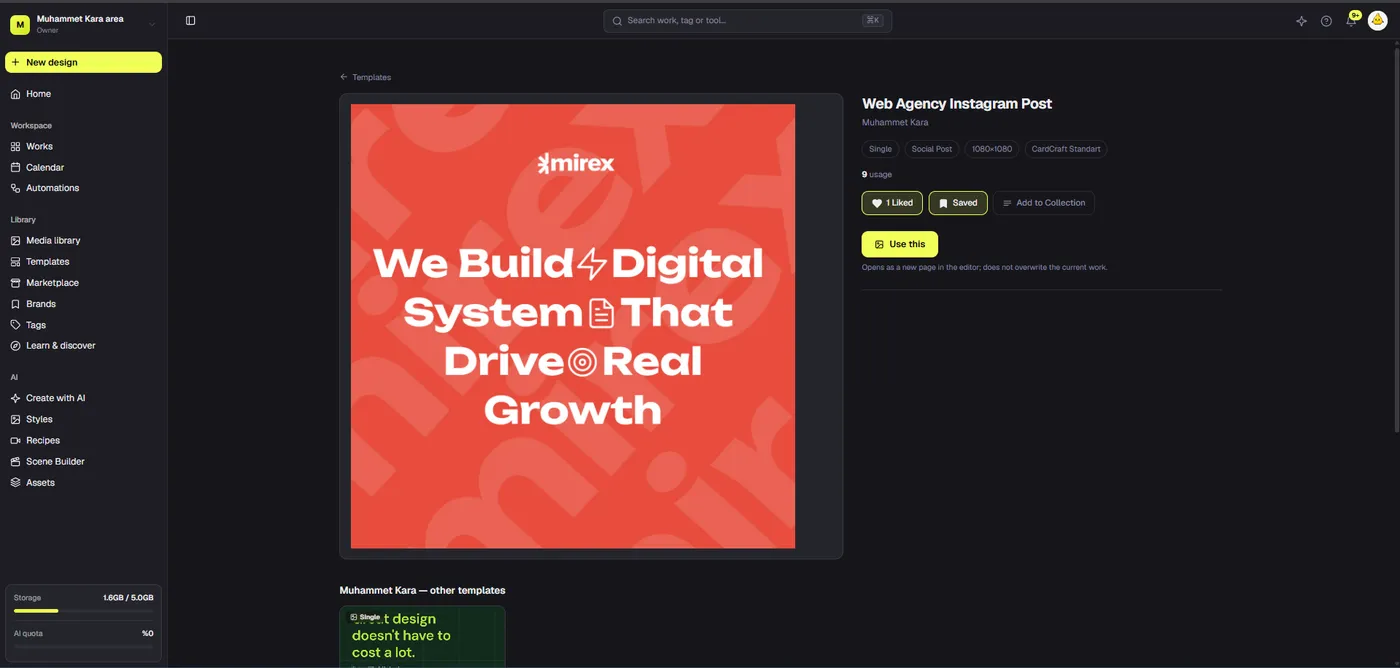
Use templates where they help. Dika Studio’s templates apply as editable objects, and designers can save their own designs for reuse. A template should provide a reliable structure, not an excuse to publish the same layout regardless of message. The product proof still needs a relevant visual, and the CTA still needs a coherent destination.
Plan variants without losing approval control
A campaign may need square, vertical, and wide versions; price, language, or audience variants may multiply them further. Start with one approved master message. Record which elements can vary and which cannot. A product claim might be fixed, while headline phrasing or crop can be tested. The source design should make those differences easy to identify. Otherwise the team cannot tell which variant was legally reviewed.
Use a variant matrix with format, audience, headline, offer, image, CTA, destination, and status. Name exports with campaign and revision. When a product price changes, locate every variant containing that price. Editing independent text objects reduces the cost of updating the set, but it does not remove the need to inspect each exported file. A vertical version can hide a disclaimer even when the square version is clear.
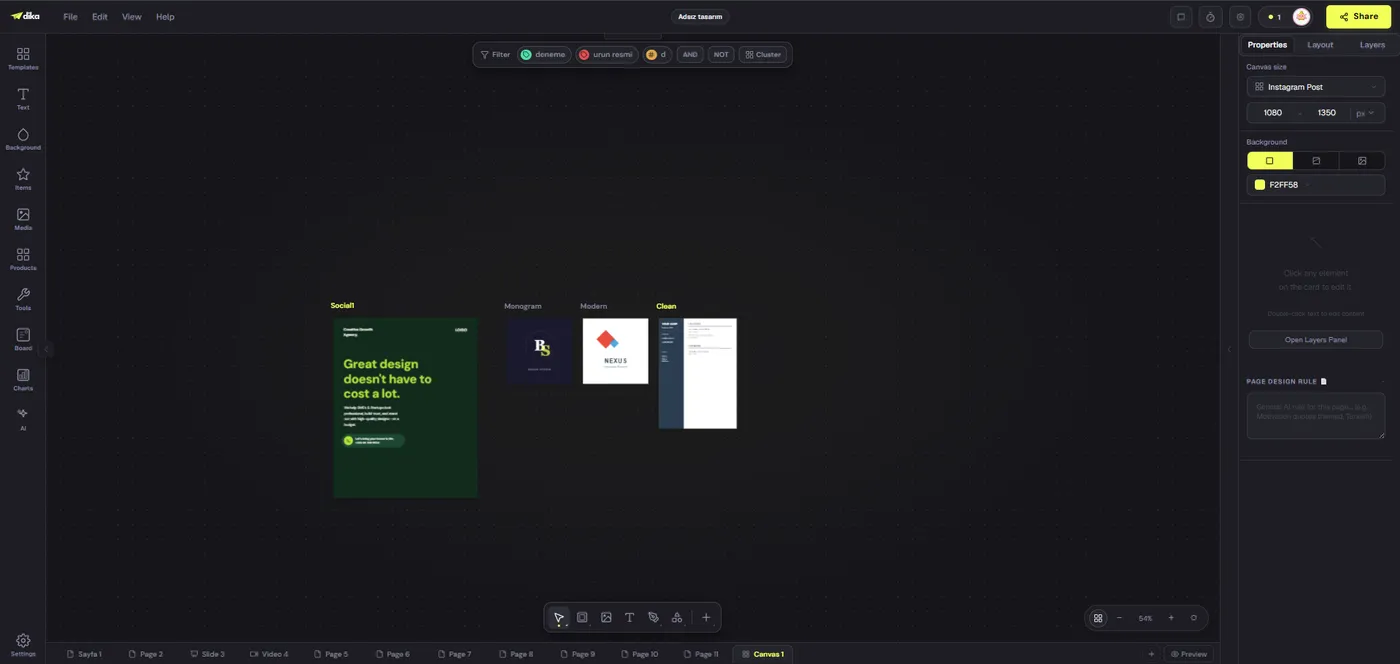
Dika Studio’s infinite canvas can place multiple design frames near one another for visual planning. That helps compare a campaign family, but it does not automatically approve or publish each asset. The current workflow needs a named reviewer and explicit external handoff when more than one person is involved. Treat future shared roles and live comments as roadmap items, not production promises.
Make exports and handoffs reproducible
The ad platform receives a file, not your working canvas. Before export, inspect dimensions, crop, text legibility, and image quality. Keep the editable project as the source of truth and give exported assets names that identify placement, language, and revision. If a platform resizes an upload, check the ad preview. A pixel-perfect editor canvas may not survive a placement’s interface overlays or automatic treatment.
For a handoff, package the approved source link or project identifier, final exports, source image rights, copy version, destination URL, and review sign-off. A new editor should not have to reverse engineer which layer holds the offer. If the source depends on a connected AI provider, record that dependency; the design itself should remain usable without rerunning the exact prompt. Avoid treating a prompt as the only archive of a campaign.
Check whether the receiving team needs a layered export for another application. Dika Studio can export a PSD with named layers, but some vector shapes become raster layers in that format, so it is not identical to a native vector source. Keep the Studio project when future editability matters. State export limitations clearly rather than promising perfect round-trip editing between every tool.
What to measure after the first ad
Measure the production process as well as media performance. How long did it take to get from brief to reviewable draft? How many times was a price changed? Did the team rebuild a whole design for a small text correction? Were platform versions consistent? An editable source should reduce avoidable rework. If it does not, inspect whether the layout structure or approval workflow is the real problem.
For the ad itself, compare meaningful outcomes: qualified clicks, landing-page fit, lead quality, sales context, or learning from comments. A first draft can attract attention while misrepresenting the product. Check whether viewers understood the offer. If a variant performs worse, do not assume the canvas format caused it; audience, placement, timing, and message all matter. Keep an experiment log with one clear hypothesis per change.
Use findings to improve templates and prompts. A recurring problem with unreadable disclosures suggests a layout rule. Repeated product-image drift suggests stricter asset separation. A prompt that produces a fast rough layout but weak hierarchy may need a better brief, not a different model. The goal is a reliable system for truthful ads, not a gallery of impressive first drafts.
A practical acceptance checklist
Before calling an AI ad creative editable, confirm that headline, offer, CTA, product image, logo, and disclosure can be changed independently. Confirm source rights and claim evidence. Confirm brand rules and final format. Test a real revision, not only the initial generation. Export at the target size and inspect the actual upload preview. Record source, variant, and reviewer so an approved design can be updated later.
This is where an AI ad creative generator earns its place: faster ideation plus a source that remains under editorial control. Dika Studio’s canvas objects, templates, in-editor AI actions, and image generation can support that workflow when each element is used for the right job. Explore Dika Studio’s design workspace for the editor, read our video-ad workflow for motion campaigns, and visit Dika’s home page for broader creative services. Choose editability where changes are inevitable and flat imagery where a visual asset is all you need.
Frequently asked questions
What is an AI ad creative generator?
It is a tool that helps generate or assemble ad visuals and copy. Outputs may be layered designs, flat images, or videos, with different revision limits.
What makes an AI-generated ad editable?
Key elements such as headline, offer, CTA, product image, and disclosure can be changed independently in the source design.
Are AI-generated images fully editable in Dika Studio?
They remain image assets. You can place and transform the image, but words and objects inside its pixels do not automatically become separate canvas objects.
Can Dika Studio’s AI assistant edit the canvas?
Yes. With a connected provider, the in-editor assistant can add or change text, shapes, icons, images, and other canvas elements through undoable actions.
Are Dika Studio templates editable?
Yes. A template placed on the canvas uses normal editable objects that can be restyled and replaced.
Should ad copy be inside an AI image?
Usually no when the copy may change. Keep claims, prices, and calls to action as editable text objects.
How do I test editability?
Change headline, product image, price, format, and disclosure in a realistic sample without regenerating the entire design.
Can I export a layered PSD from Dika Studio?
Yes, but some canvas vector shapes become raster layers in PSD. Keep the Studio project as the main editable source.
Does editability guarantee brand consistency?
No. Brand rules, asset approvals, claim review, and final placement checks are still required.
Can teams co-edit and comment live in Dika Studio today?
Shared organization roles and real-time project comments are planned, not current capabilities. Use explicit handoffs for current campaigns.